
First week on a shared project
New developer guide
Simple loop: pull the whole project, edit your area, push your branch. Tap any gold i for extra detail.
The daily loop
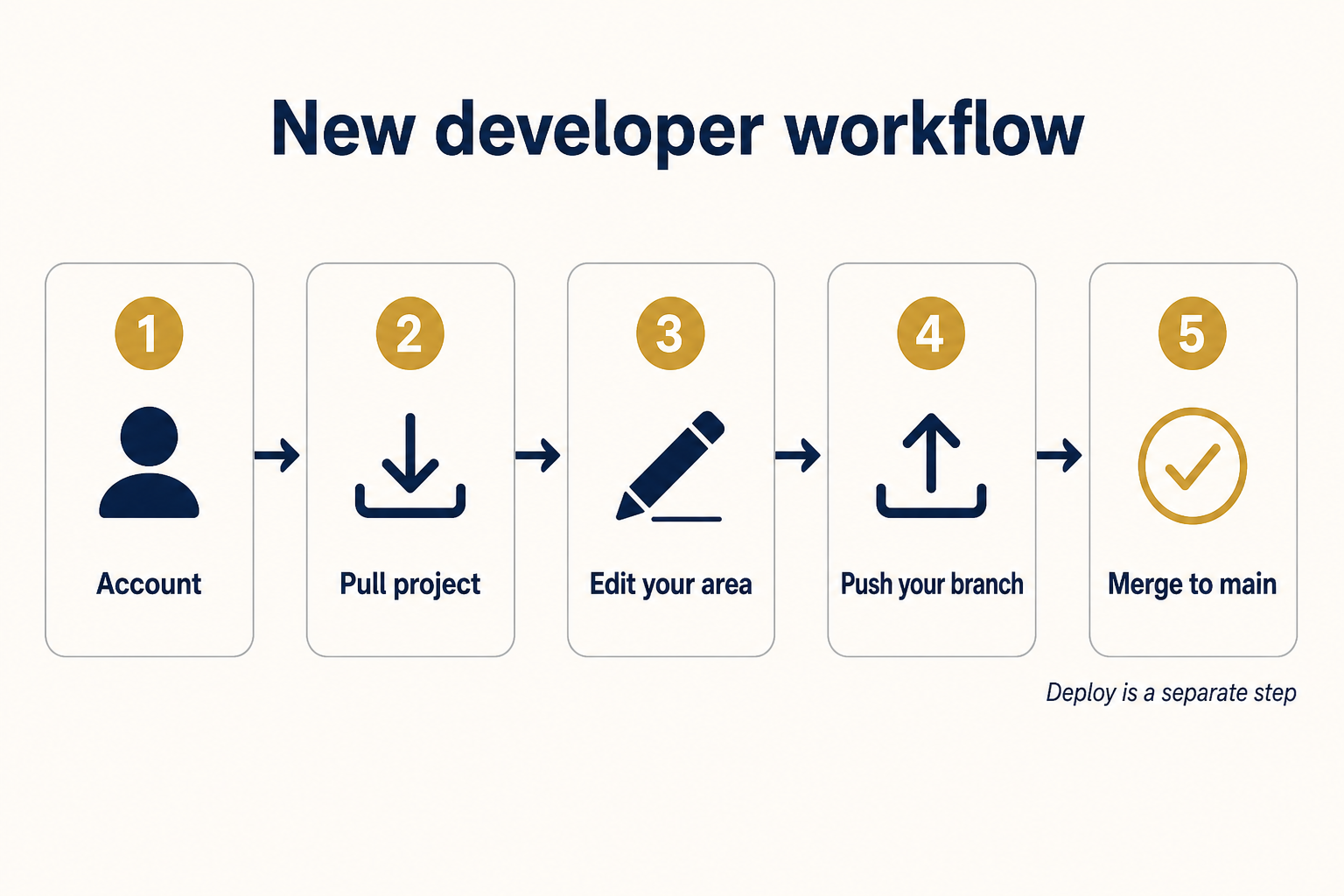
- 1
Get access
Sign in, join the org, and open the shared repository.
- 2
Pull the full project
Download the complete repo to your machine — not just your feature folder.
- 3
Work on your branch
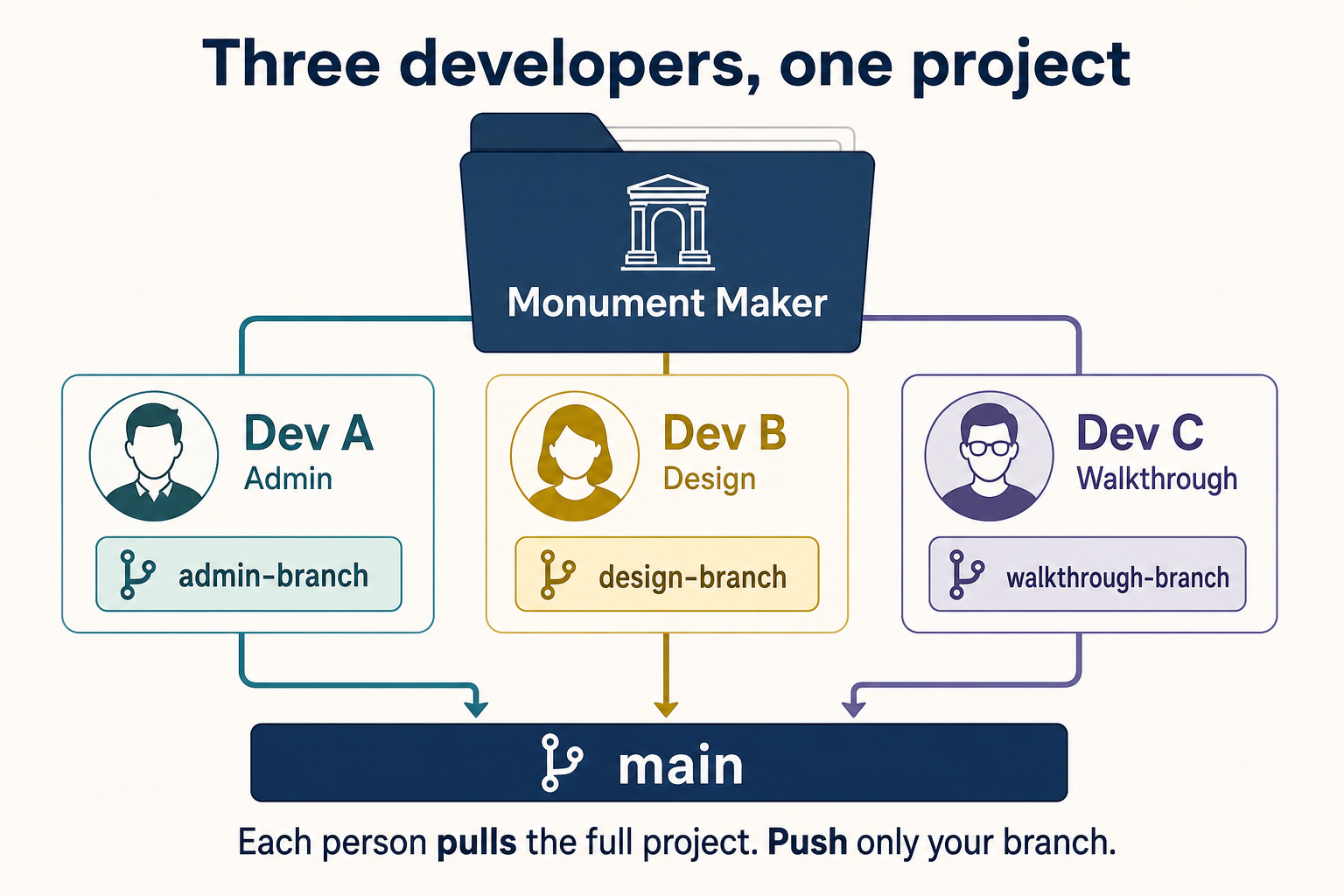
Edit your area (admin, Design, or Walkthrough) on your own branch.
- 4
Push your branch
Send your updates to Collaborate so the team can see them.
- 5
Merge to main
Open a pull request. After review, merge. One person then deploys from main.
Three people, one project
What you need before you can push
Account + repo access
Sign in at Collaborate. Be a member of the org that owns the repo.
Personal access token
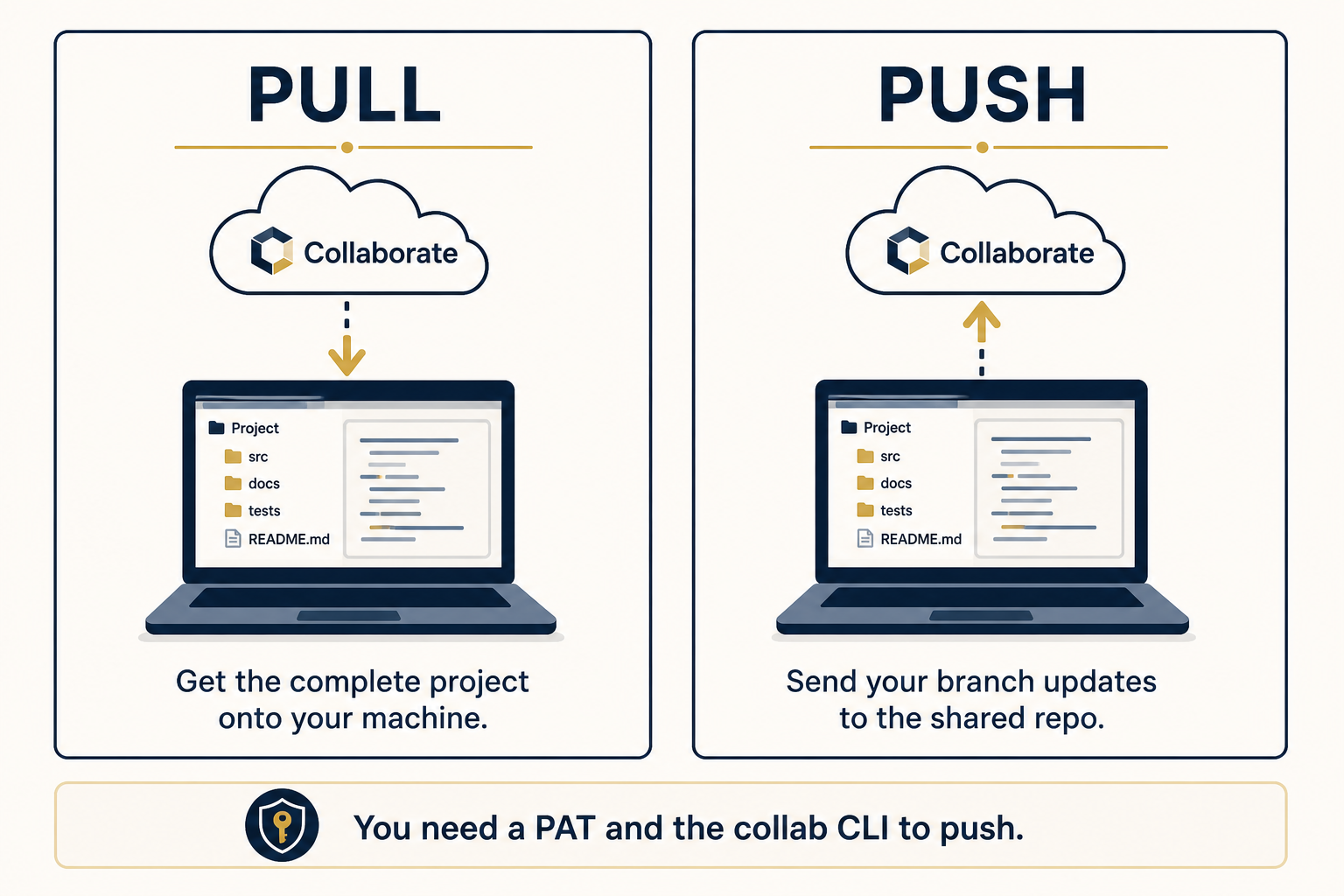
Required for pull and push from the command line. Token help
collab CLI
Command-line tool that talks to Collaborate. CLI help
Local copy with .collab
On the repo page click Get a local copy, run the downloaded .cmd, pick an empty folder, and paste your PAT in the box.
Pull vs push
Example commands
collab pull hartapps/MonumentMaker main --dir ./MonumentMaker
collab push hartapps/MonumentMaker your-branch -m "Describe the change" --dir ./MonumentMaker
Replace your-branch with admin-branch, design-branch, or walkthrough-branch.
Going live
After branches merge to main, one person pulls main, then runs the project's deploy command. See Sync vs deploy.
Related: CLI · Tokens · Pull requests